テクスチャ編集ツール「いろぴたっ」
- ダウンロード商品¥ 1,500
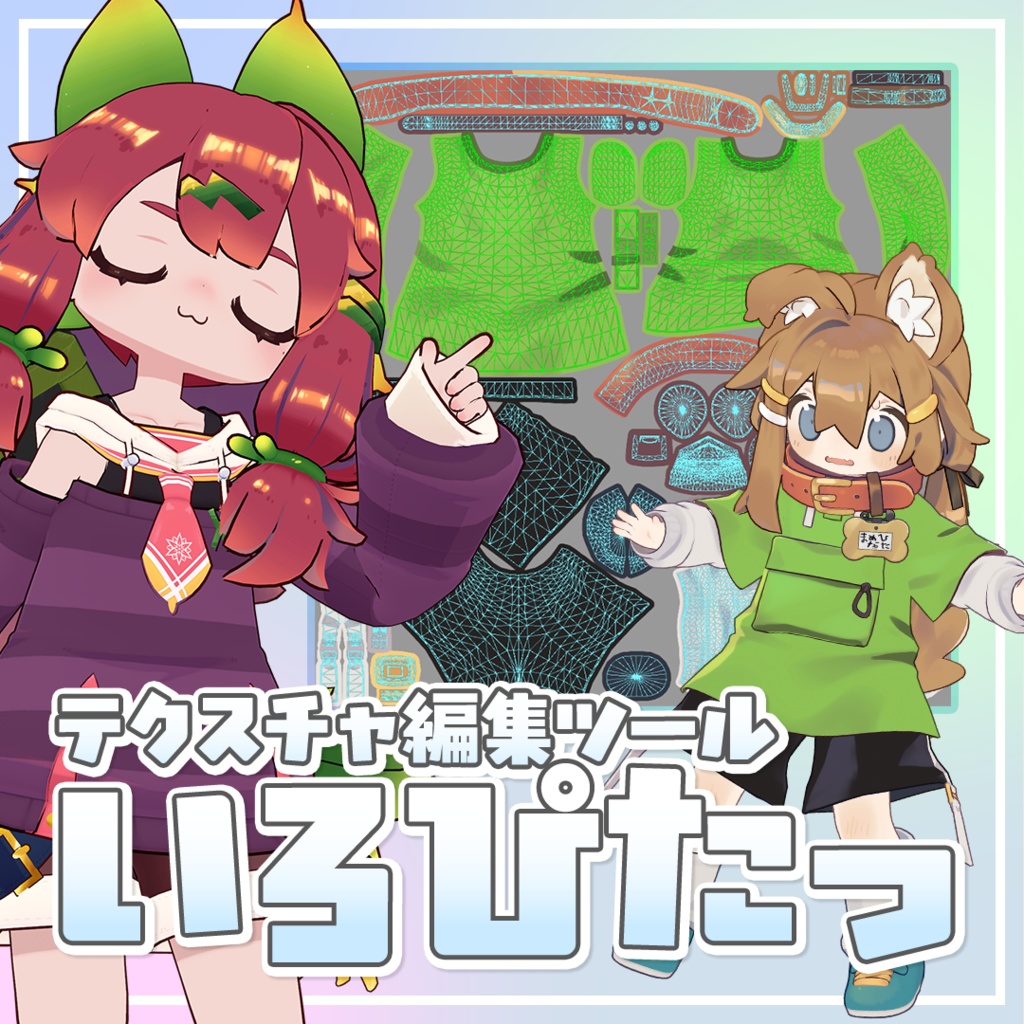
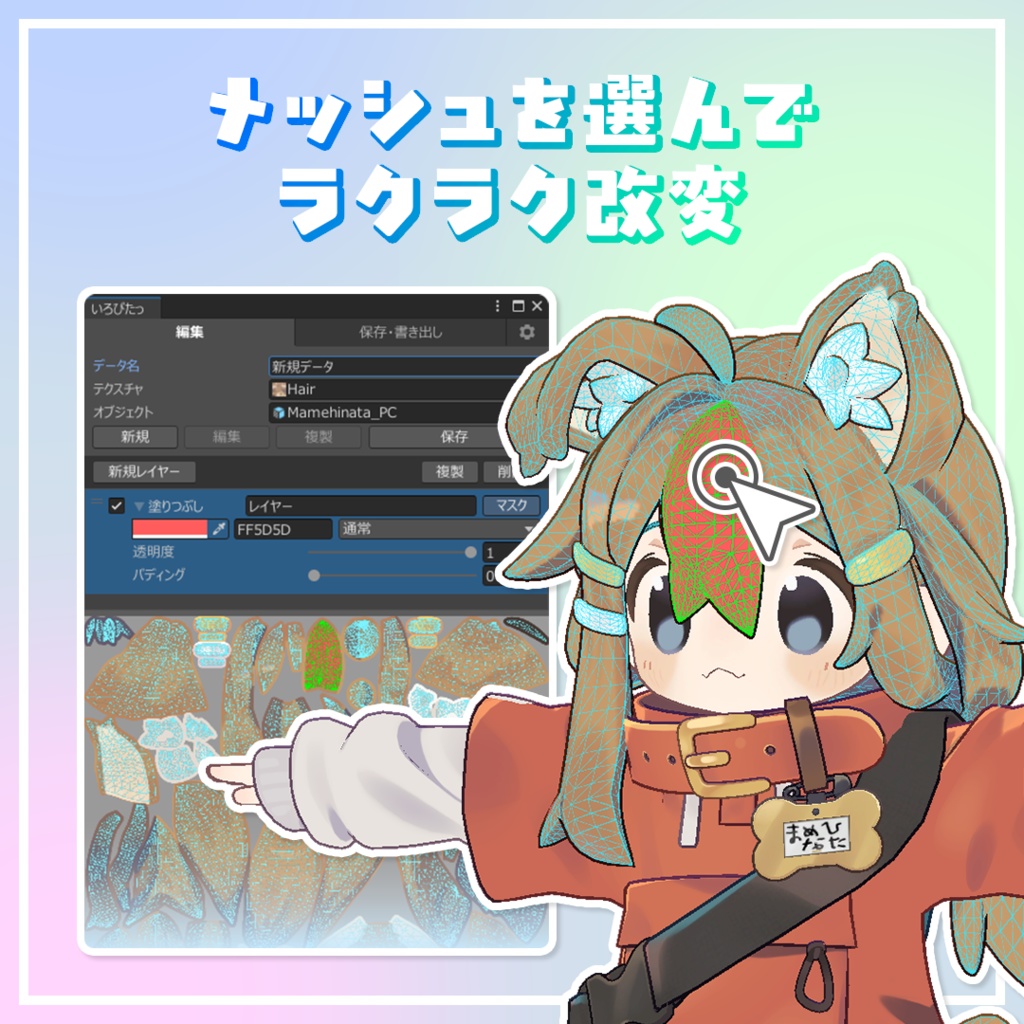
「いろぴたっ」はUnity上でメッシュを選択しながら色の変更や画像の合成が簡単にできるエディターツールです。 "Iropita" is a Unity editor tool that allows you to easily change colors and composite images while selecting meshes directly within the editor. ▶ここだけ色を変えたい! プレビューでUVを選択したところだけ変更できるので、部分改変が簡単! 髪にメッシュをいれたり、服の一部分だけ…がすぐにできます。 ▶お気に入りの画像をのせたい! テクスチャの上に画像を乗せることができるので、タトゥーやネイルなど自分好みの改変が手軽に楽しめます。 書いた絵を重ねてオリジナルTシャツ…なんてことも! ▶いろいろなパターンを試したい! どんな色にするか悩んでいても大丈夫。 編集データを保存できるので、何パターンでも試せます!
更新履歴 / Update History
- 2026.05.17 version 1.4.4 ・別名で保存でマテリアルの画像を差し替えた時、データ上の画像の参照先が切り替わらないバグを修正 Fixed a bug where replacing a material image using “Save As” did not update the image reference path in the data ・その他軽微な調整 Other minor adjustments and improvements - 2026.05.07 version 1.4.3 ・設定にパディングの初期値を設定できる項目を追加 Added a setting in Settings to configure the default padding value. ・画像読み込み時に画像に設定された最大サイズで読み込まれるバグを修正 Fixed a bug where images could be loaded at the Texture Importer max size instead of their intended resolution. ・画像レイヤーのプレビュー上での操作で、画像の縁での移動や回転、拡大縮小ができないバグを修正 Fixed a bug where move, rotate, and scale on image layers did not respond when manipulating near the image edges in the preview. ・その他レイアウト調整等軽微な更新 Minor layout tweaks and other small updates. 2026.05.05 version 1.4.2 ・プレビューで右クリックのメニューにマスクを反転 機能を追加 Added Invert Mask to the right-click menu in the Preview. ・画像レイヤーで配置した画像が書き出し時に大きくなるバグを修正 Fixed a bug where images placed in an image layer were exported at an incorrect (larger) size. 2026.04.21 version 1.4.1 ・軽微なレイアウトの調整および不具合の修正 Minor layout adjustments and bug fixes. 2026.04.02 version 1.4 ・グラデーションレイヤー機能を追加 Added Gradient Layer feature. ・画像レイヤーの機能を拡張 画像を自在に変形できるワープ機能を追加 Expanded Image Layer functionality: Added Warp Tool for flexible image transformation. ・レイヤーのコピー&ペースト機能を追加 データを跨いでのコピー&ペーストに対応 Added Copy & Paste feature for layers. Now supports copying and pasting between different data files. ・「別名で保存」実行時に、マテリアルの画像置換を選択しなかった場合でも参照テクスチャが変更されてしまう不具合を修正 Fixed a bug where the material's texture was unintentionally swapped even when not opting to replace it during "Save As." 2026.03.31 version 1.3 ・高ポリゴンモデルにおけるScene選択・UV表示時の負荷を軽減 Reduced the processing load of Scene Selection and UV Display on high-polygon models. 2026.03.26 version 1.2 ・アバター位置が移動している場合、scene選択のUVアウトラインが原点に取り残される不具合を修正 Fixed an issue where, when the avatar position is moved, the UV outline in scene selection is left behind at the origin. 2026.03.25 version 1.1 ・右クリック「マスクを全解除」すべてのレイヤーのマスクが解除される不具合修正 Fixed a bug where "Clear All Mask" via right-click cleared masks for all layers. It now only clears the active layer. ・テクスチャの指定変更時、マスクがリセットされないように仕様を変更 Updated specifications so that masks are no longer reset when reassigning the texture. ・その他 / Miscellaneous 英語版のREADME追加 / Added English README. 英語表記調整 / Adjusted English localization and terminology. ※既に入っているファイルは消さず、上書きする形でインポートでバージョンアップできます。 Note: You can update to the latest version by importing the package and overwriting existing files without deleting them. 2026.03.22 version 1.0 ・公開 / Released
使い方 / How to use
■ ツールの起動 / Launching the Tool ツールバーから「ツール(Tools)」→「いろぴたっ」を選択 Select "Tools" → "いろぴたっ" from the top menu bar. ■ データ作成 / Creating Data ・データ名 / Data Name 保存する際のデータ名を入力 Enter a name for the data to be saved. ・テクスチャ / Texture 編集したいテクスチャをセット Set the texture you wish to edit. ・オブジェクト / Object セットしたテクスチャを使っているアバターまたはアイテムをセット Set the avatar or item that uses the selected texture. ・ボタン / Buttons 新規 (New Data):新規データを作成します。 / Creates new data. 複製 (Duplicate):選択中のデータを複製します。 / Duplicates the selected data. 保存 (Save):データを保存します。 / Saves the data. ■ レイヤー / Layers ・塗りつぶしレイヤー / Fill Layer 単色の色で塗りつぶします。透明度や合成モードを使用できます。 Fills with a solid color. Opacity and blending modes can be adjusted. ・グラデーションレイヤー / Gradient Layer シーン上で範囲を指定してグラデーションをかけることができます。 直線と放射状の2つのモードがあります。 Apply gradients by specifying the range directly in the Scene view. Supports two modes: Linear and Radial. ・色調補正レイヤー / Adjustment Layer 明度、コントラスト、彩度、色相を使用することができます。 Allows adjustment of Brightness, Contrast, Saturation, and Hue. ・画像レイヤー / Image Layer 画像を配置してプレビュー上で自由に移動や拡大縮小、回転の操作をおこなえます。透明度や合成モードのほかに、画像レイヤーにのみ反映される塗りつぶしと色調補正を使用できます。 Place an image and freely move, scale, or rotate it on the preview. In addition to opacity and blending modes, you can apply fill and color adjustments specifically to the image layer. ・パディング / Padding マスクの範囲を広げて、UVが分かれたメッシュのつなぎ目にでる滲みを解消します。 Expands the mask range to eliminate bleeding at the seams of separated UV meshes. ・マスク / Mask レイヤー右上の「マスク」ボタンでマスクのオンオフの操作がおこなえます。オフにすると全体に反映されるようになります。 Toggle the mask on or off using the "Mask" button at the top right of the layer. Turning it off applies the layer to the entire texture. ・右クリック / Right-Click Menu レイヤーの追加、複製、削除 その他レイヤーやマスクのコピーやペーストなどの操作がおこなえます。 Allows you to add, duplicate, or delete layers. You can also perform operations such as copying and pasting layers or masks (including pasting between different data files). ■ プレビュー / Preview 選択しているテクスチャとUVが表示されます。クリックで選択と解除、ドラッグで範囲選択が行えます。 Displays the selected texture and UV map. Click to select/deselect, or drag to box-select. ・Island選択 / Island Select ひと塊のUVをまとめて選択できるようになります。 Selects an entire connected UV island at once. ・Scene選択 / Scene Select シーン上のオブジェクトにUVアウトラインを表示して直接UVの選択ができるようになります。 Displays UV outlines on the object in the scene, allowing you to select UVs directly. ・プレビュー / Preview シーン上のオブジェクトに編集したテクスチャをリアルタイムで反映します。 Reflects edited textures onto the scene object in real-time. ・UV表示 / UVs UVアウトラインの表示切り替え Toggles the visibility of the UV outline. ・右クリック / Right-Click Menu マスクの全選択、全解除。マスクのコピー、ペーストの操作がおこなえます。 Select all, deselect all, or copy/paste masks. ■ 保存と書き出し / Save & Export ・上書き保存 / Overwrite 編集対象の画像に上書きします。※データが残っていれば、レイヤーを削除して元の画像を復元することも可能です。 Overwrites the original image. As long as the data exists, you can restore the original image by deleting the layers. ・別名で保存 / Save As 画像を別名で保存します。保存した際、マテリアルのテクスチャを保存した画像に差し替えることが可能です。 Saves the image under a new name. You can automatically replace the material's texture with the newly saved image. ・保存データ一覧 / Saved Data List 保存したデータが更新日が新しい順に表示されます。データの読み込みと削除ができます。 Displays saved data sorted by the most recent update. You can load or delete data from here. ■ 設定 / Settings ・言語 / Language 日本語と英語を切り替えることができます。 Allows you to switch between Japanese and English. ・プレビュー解像度 / Preview Resolution プレビュー時の解像度の指定。処理負荷が大きいため作業時は512か1024を推奨。2048~4096は確認する時に使用するのがおすすめです。※テクスチャの書き出しには影響しません。 Specifies the preview resolution. 512 or 1024 is recommended during work due to processing load. 2048–4096 is recommended for final checks. This does not affect the resolution of the exported texture.
その他 / Miscellaneous
■ 内容物 / Contents unitypackage README.md ■ 環境 / Environment Unity 2022.3.22f1 ■ 注意事項 / Important Notes ・作業前には、念のためプロジェクト全体のバックアップを取ることを推奨します。 It is recommended to back up your entire project before use, just in case. ・ポリゴン数の多いモデルの場合、動作が重くなる場合がございます。 Performance may slow down when processing models with a high polygon count. ・独自のシェーダーを使用しているアバターなどでは、正常にメッシュを取得できない場合があります。 Meshes may not be retrieved correctly for avatars using custom or unique shaders. ・アップデートにより、機能や仕様が変更・追加・削除される場合があります。 Features and specifications may be changed, added, or removed through future updates.
利用規約 / Terms of Use
本ツールを購入・ダウンロードすることで、以下の内容に同意したものとみなします。 By purchasing or downloading this tool, you are deemed to have agreed to the following terms. 1. 利用について / About Usage 本ツールは商用・非商用を問わず、Unityプロジェクト内で自由にご利用いただけます。 This tool may be used freely within Unity projects, whether for commercial or non-commercial purposes. 2. 二次配布について / About Redistribution 本ツールの再配布(オリジナル・改変版を問わず)を禁止します。また、本ツールを第三者へ共有(譲渡・アップロード等)する行為を禁止します。プロジェクト内部で使用する場合のみ認められます。 Redistribution of this tool (whether original or modified) is prohibited. Sharing, transferring, or uploading this tool to third parties is also prohibited. Usage is only permitted within your own project files. 3. ライセンスについて / About Licensing 本ツールは購入者本人のみ利用可能です。複数人で使用する場合は、各自で購入してください。 This tool is licensed for use only by the individual purchaser. If multiple people intend to use it, please ensure each person purchases their own license. 4. 免責事項 / Disclaimer 本ツールは現状のまま提供され、動作を保証しません。本ツールの使用、または使用できなかったことによって生じたいかなる損害についても、作者は一切責任を負いません。 This tool is provided "as is," and no guarantee of operation is made. The creator shall not be held liable for any damages arising from the use or inability to use this tool. 5. 返品・返金について / Returns and Refunds デジタル商品の特性上、購入後の返品・返金には対応していません。 Due to the nature of digital products, returns and refunds are not available after purchase. 6. 著作権 / Copyright 本ツールの著作権は作者に帰属します。本ツールは Unity Technologies とは無関係の、非公式ツールです。 The copyright of this tool belongs to the creator. This is an unofficial tool and is not affiliated with Unity Technologies.
お問い合わせ / Contact
ご要望や不具合等のご連絡、導入についてのご質問はBOOTHのメッセージ又は下記XのDMにて受け付けております。 For any feature requests, bug reports, or questions regarding setup, please contact me via BOOTH message or X (Twitter) DM. https://x.com/moyacch1
クレジット / Credits
■ サムネイル、動画等に使用させていただいたアバター ※本商品にはアバターモデル本体は含まれません。 【もち山金魚】まめひなた https://mukumi.booth.pm/items/4340548 【あふろだアフロ】イサナイ・ヌク https://booth.pm/ja/items/6044846 ■ Avatars featured in thumbnails, videos, etc. Please note: The avatar models themselves are not included with this product. [Mochiyama Kingyo] Mamehinata [Afroda Afro] Isanai Nuku